> ## Documentation Index
> Fetch the complete documentation index at: https://optimism.mintlify.site/llms.txt
> Use this file to discover all available pages before exploring further.

# Fresh Moves

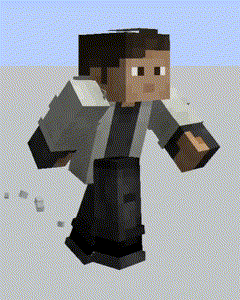
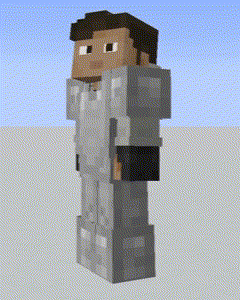
> This is a Player Animation texture pack for forge and fabric.

> <Icon icon="display" iconType="regular" /> **16x**, <Icon icon="wrench" iconType="regular" /> **Equipment**, <Icon icon="square-plus" iconType="regular" /> **Modded**

<Info>You need the LATEST versions [Entity Model Features](https://www.curseforge.com/minecraft/mc-mods/entity-model-features) (+v2.0.2), [Entity Texture Features](https://www.curseforge.com/minecraft/mc-mods/entity-texture-features-fabric) (+v6.0.1) to use this pack. This are client-side mods that are available for both Forge and Fabric</Info>

### OPTIFINE DOESN'T SUPPORT PLAYER CUSTOM MODELS ...yet, just in case

Check this tutorial and the new face feaures added in v3.0 in this made by Laynce.

<iframe width="560" height="315" src="https://www.youtube.com/embed/uDccyv7FROs?si=Tl41lnLebqG4Puvt" title="YouTube video player" frameborder="0" allow="accelerometer; autoplay; clipboard-write; encrypted-media; gyroscope; picture-in-picture; web-share" referrerpolicy="strict-origin-when-cross-origin" allowfullscreen />

## Useful Guides

[To fix black eyes, follow this guide](https://github.com/IthanMendoza/Fresh-Moves/wiki/Fix-Black-Eyes).
For a video demonstration go to this page in the wiki of the resourcepack.

[Fix Black Eyes · IthanMendoza/Fresh-Moves Wiki (github.com)](https://github.com/IthanMendoza/Fresh-Moves/wiki/Fix-Black-Eyes)

If you want your hand to stop moving in the first person perspective. [Go to this page in the wiki to disable it.](https://github.com/IthanMendoza/Fresh-Moves/wiki/Fix-Moving-1st-Person-Hand)

[Fix Moving 1st Person Hand · IthanMendoza/Fresh-Moves Wiki (github.com)](https://github.com/IthanMendoza/Fresh-Moves/wiki/Fix-Moving-1st-Person-Hand)

For this mod to work you have to activate this features in the EMF and ETF settings:

<Steps>
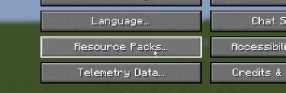
  <Step title="First, go to resource packs.">
    <img height="200" noZoom src="https://mintcdn.com/optimism/baF0JkqMPHlI8_Js/images/fm-1.png?fit=max&auto=format&n=baF0JkqMPHlI8_Js&q=85&s=1f21f55b7aacb482aa4081ea4ff3a5a2" data-path="images/fm-1.png" />
  </Step>

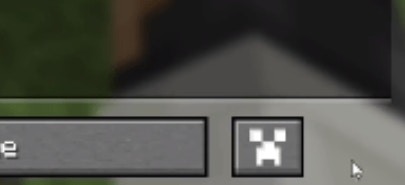
  <Step title="Then click this button (ETF and EMF settings).">
    <img height="200" noZoom src="https://mintcdn.com/optimism/baF0JkqMPHlI8_Js/images/fm-2.png?fit=max&auto=format&n=baF0JkqMPHlI8_Js&q=85&s=0e1d96fb069db40382e20bfed6edaff2" data-path="images/fm-2.png" />
  </Step>

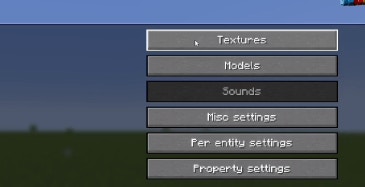
  <Step title="Click on textures.">
    <img height="200" noZoom src="https://mintcdn.com/optimism/baF0JkqMPHlI8_Js/images/fm-3.png?fit=max&auto=format&n=baF0JkqMPHlI8_Js&q=85&s=5eb363fc2418fc54a6abb513ec1f430b" data-path="images/fm-3.png" />
  </Step>

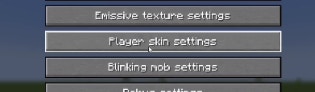
  <Step title="Click on player skin settings.">
    <img height="200" noZoom src="https://mintcdn.com/optimism/baF0JkqMPHlI8_Js/images/fm-4.png?fit=max&auto=format&n=baF0JkqMPHlI8_Js&q=85&s=820ed2057017c17441f088253f0219e7" data-path="images/fm-4.png" />
  </Step>

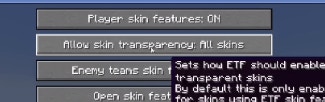
  <Step title="And activate the option that says 'Allow skin' transparency and set it to 'All skins'">
    <img height="200" noZoom src="https://mintcdn.com/optimism/baF0JkqMPHlI8_Js/images/fm-5.png?fit=max&auto=format&n=baF0JkqMPHlI8_Js&q=85&s=cbdc21c8b73cd978462497a97213251b" data-path="images/fm-5.png" />
  </Step>

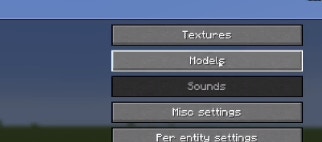
  <Step title="Go back and click on models">
    <img height="200" noZoom src="https://mintcdn.com/optimism/baF0JkqMPHlI8_Js/images/fm-6.png?fit=max&auto=format&n=baF0JkqMPHlI8_Js&q=85&s=c8ff33a69e72ddd11c72684e994d3019" data-path="images/fm-6.png" />
  </Step>

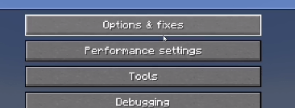
  <Step title="Click Option & Fixes">
    <img height="200" noZoom src="https://mintcdn.com/optimism/baF0JkqMPHlI8_Js/images/fm-7.png?fit=max&auto=format&n=baF0JkqMPHlI8_Js&q=85&s=878fbab80963d897273468d5c03aa637" data-path="images/fm-7.png" />
  </Step>

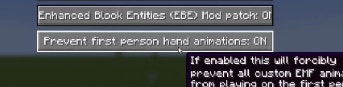
  <Step title="And finally turn on the option that says 'Prevent first person hand animation'">
    <img height="200" noZoom src="https://mintcdn.com/optimism/baF0JkqMPHlI8_Js/images/fm-8.png?fit=max&auto=format&n=baF0JkqMPHlI8_Js&q=85&s=910c83c95c9719cd39da498e621ff580" data-path="images/fm-8.png" />
  </Step>
</Steps>

## Features

This resource pack overhauls the idle, walking and swimming animation and gives some othe details to the player.

<Frame>
  <img height="200" noZoom src="https://mintcdn.com/optimism/baF0JkqMPHlI8_Js/images/fm-feature1.png?fit=max&auto=format&n=baF0JkqMPHlI8_Js&q=85&s=bda272d545166265385f1bd62c7ea698" data-path="images/fm-feature1.png" />
</Frame>

$\phantom{invisible}$

<Frame>
  <img height="200" noZoom src="https://mintcdn.com/optimism/baF0JkqMPHlI8_Js/images/fm-feature2.png?fit=max&auto=format&n=baF0JkqMPHlI8_Js&q=85&s=8526be0b9e7e8cb297fc9efecf29a449" data-path="images/fm-feature2.png" />
</Frame>

# Download Links

<CardGroup cols={2}>
  <Card title="Modrinth Download Link" icon="download" href="https://modrinth.com/resourcepack/tras-fresh-player">
    Modrinth is the new site for mod distrubution and resource packs.
  </Card>

  <Card title="Curseforge Download Link" icon="download" href="https://www.curseforge.com/minecraft/texture-packs/fresh-moves">
    One of the largest mod repository for various games
  </Card>
</CardGroup>

[def]: images/fm-feature2.pn